
Dice Hoarder Display Guide: Upgrade Order That Works
A practical Dice Hoarder display and upgrade order: capacity near the counter first, reach and sorting skills second, cosmetic shelves last.
Dice Hoarder gives you two kinds of progression: shop furniture that changes where dice can go, and skills that change how fast you handle them. The best order is boring but effective — capacity near your sorting counter first, reach and detection second, cosmetics last. Every upgrade that shortens a walk pays for itself every shift; every upgrade that only looks nice pays once.
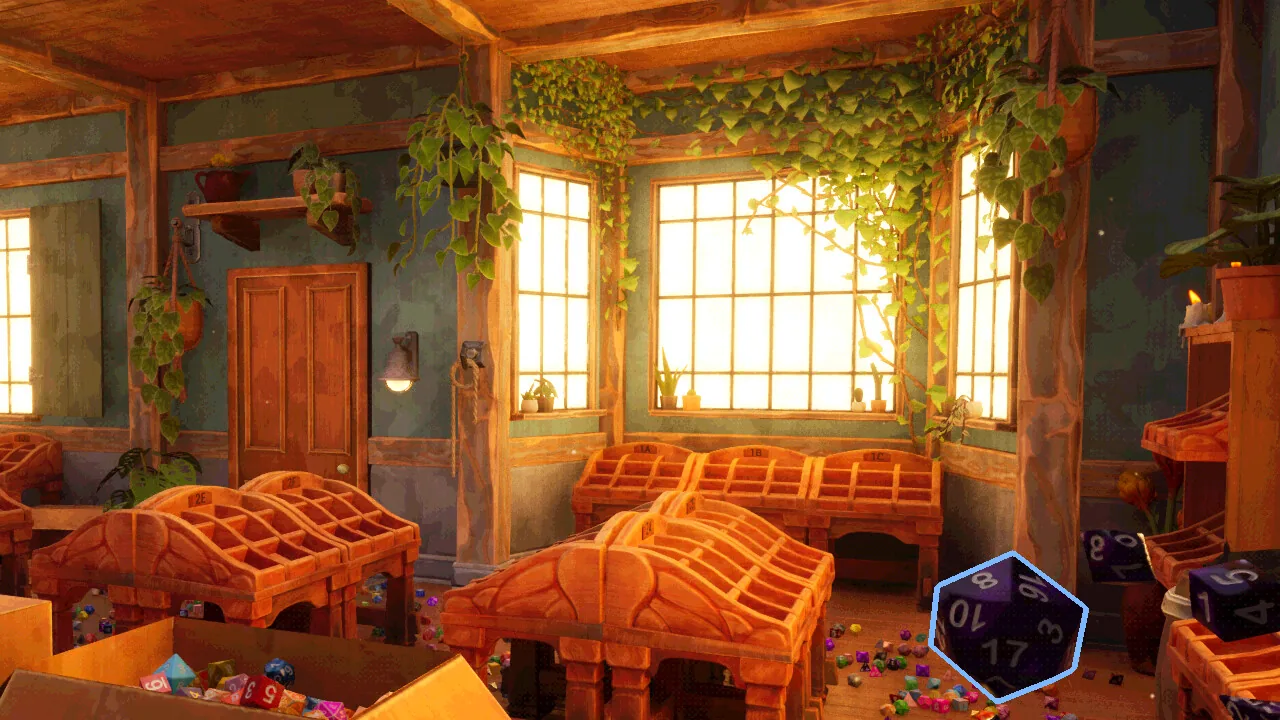
What can you upgrade in Dice Hoarder?
Three categories:
- Displays. The tiered trays that hold sets. A fully stocked nine-slot display is its own achievement, Lawful Organised, so display capacity is a real progression axis.
- Skills. Eight abilities, upgraded with points. They cover detection, reach, movement and handling.
- Computer utilities. Floppy-disk powers and options installed at the shop computer, including the ones added in the Day 1 hotfix.
The game does not publish a price list for furniture, and costs scale as the shop grows. The order below is therefore based on time saved per upgrade, not on a fixed budget.
The existence of displays, the nine-slot display achievement, the eight skills and the computer upgrades are all confirmed by the game and its achievements. The exact costs are not published, so the priority order is a practical recommendation rather than a solved spreadsheet.
Why should capacity near the counter come first?
Because distance is the hidden cost of every set. A display in the far corner holds the same number of dice as one beside the counter, but every placement in the far corner costs a walk. At the start of the game, when you are completing a handful of sets per shift, that walk is most of your sorting time.
A simple rule: buy the closest capacity you can afford, and only expand outward when the near displays are full. This also keeps your route compact, which matters more than raw slot count until the wall is nearly complete.
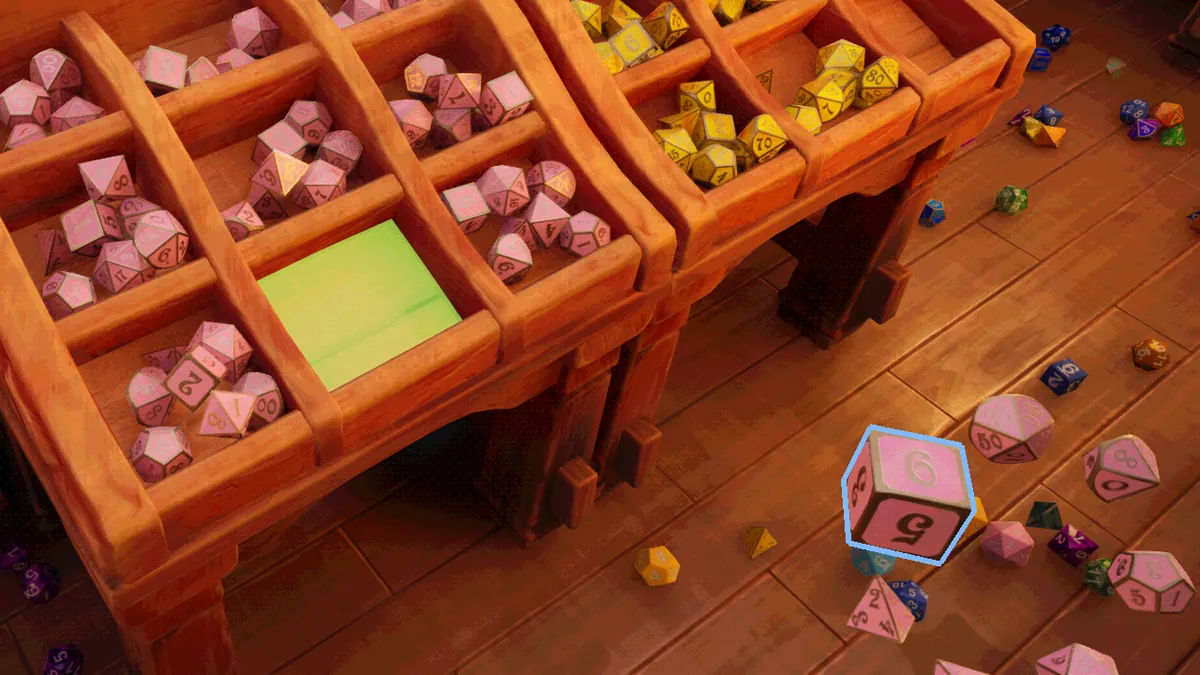
What is the best upgrade order?
- Near-counter display capacity. More slots where you already stand.
- Find Missing Dice. Turns the worst time sink — hunting one die — into a route.
- Nimble Step / reach. Opens low shelves and floor dice without crouch-walking blind.
- Movement or handling speed. Good once the wall is large enough that routes matter.
- The remaining detection and utility skills. Situational, but useful for completion.
- Cosmetic or overflow displays. Last, unless you are chasing a specific achievement.
The logic is simple: capacity and detection remove work, movement removes travel, cosmetics remove nothing.
When should you buy a new display?
Buy when one of these is true:
- A group has more complete sets than it has slots.
- You are routinely carrying dice back to the counter because there is nowhere to put them.
- A new colourway unlocks and has no home on the current wall.
Do not buy a display because it is available. An empty display in a far corner is a tax: it adds a destination without adding throughput. Fill what you have, then expand along the route you already walk.
How does the nine-slot display fit in?
Lawful Organised requires a fully stocked nine-slot dice display. That makes a nine-slot unit a target in its own right, not just capacity. If you are chasing achievements, buy the nine-slot display before cosmetic upgrades and fill it completely — partial fills do not count.
The achievement is currently at 38.7% of players, which suggests most people fill one without specifically trying. Treat it as a natural milestone rather than a grind.
Which skills support a display-heavy shop?
- Find Missing Dice is the strongest support skill because it protects completed slots.
- Nimble Step lets you reach the low shelves and floor dice that feed those slots.
- Pull die into hand removes a walk when you are placing a single die.
- True Sight, if it works as the community describes, helps spot dice that are out of place.
The full ranking is in the skill guide →, and the crouch specifics are in the Nimble Step guide →.
Install a new skill or display before you start a big sort, not after. The benefit applies to the whole shift, and you avoid the classic mistake of finishing a reorganization and then unlocking the tool that would have made it twice as fast.
What are the common upgrade mistakes?
- Buying far displays early. It looks like progress and slows every shift.
- Skipping detection skills. Hunting dice is the least fun part of the game and the easiest to remove.
- Spending on cosmetics before capacity. Cosmetics do not raise shop value.
- Filling a display with loose dice. A slot wants a seven-piece set; loose dice block the slot.
- Ignoring the computer. Disks and skill points sit unused if you never open the terminal.
How does the display layout affect shop value?
Indirectly but consistently: value comes from stocked displays, and displays you can reach get stocked sooner. A near-counter shelf with nine filled slots beats a distant shelf with nine empty ones every time. The shop value guide → explains the contribution model.
FAQ
What should I upgrade first in Dice Hoarder? Capacity near your sorting counter, then Find Missing Dice. Both remove time from every subsequent shift.
Is the nine-slot display required for an achievement? Yes. Lawful Organised unlocks when you fully stock a nine-slot dice display.
Do cosmetic upgrades help gameplay? No. They change the look of the shop, not the sorting rules or the value gate.
Can I move displays later? The layout is part of the shop's progression; plan the near-counter space first so you are not rebuilding a route you just learned.
Official source: Dice Hoarder on Steam ↗, Steam achievements ↗, Day 1 Hotfix Patch ↗